
Settings
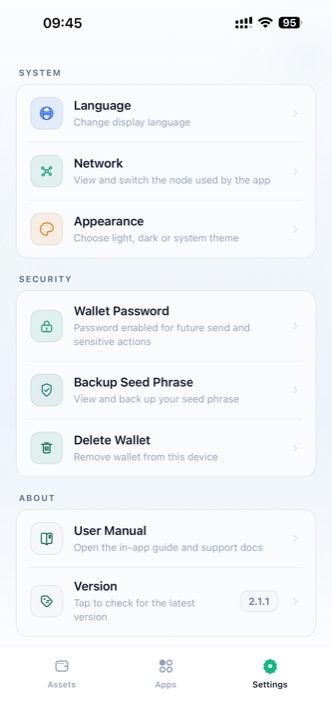
The Settings page controls app language, network selection, appearance, wallet security, and manual access.
Settings
System
Language
Change the app display language. UIN Wallet supports 17 languages, and the interface updates immediately after selection.
Network
View and switch the backend node used by the app.
Appearance
Choose:
- Light
- Dark
- Follow System
Security
Wallet Password
Set or change the password required for sensitive actions. See Wallet Password.
Backup Seed Phrase
View and back up your seed phrase after password verification. See Backup Seed Phrase.
Delete Wallet
Delete the wallet from the current device. This action is irreversible for local wallet data unless you still have the seed phrase.
About
User Manual
Opens the in-app manual and support documentation.
Version
Shows the current installed version and can be used to check whether a newer build is available.