
Restore a Wallet
If you already have a UIN Wallet (or any BIP-44-compatible wallet) you can restore it on a new device using your 12-word seed phrase.
Steps
1. Tap "Restore Wallet" on the Welcome Screen
From the welcome screen, tap Restore Wallet.
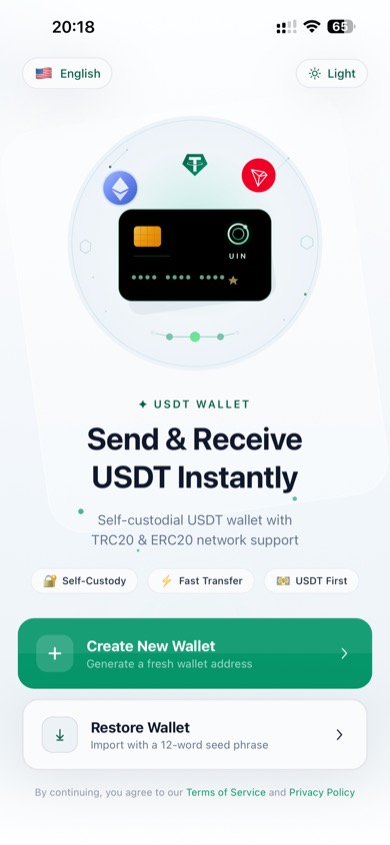
Tap "Restore Wallet" on the welcome screen
2. Enter Your 12-Word Seed Phrase
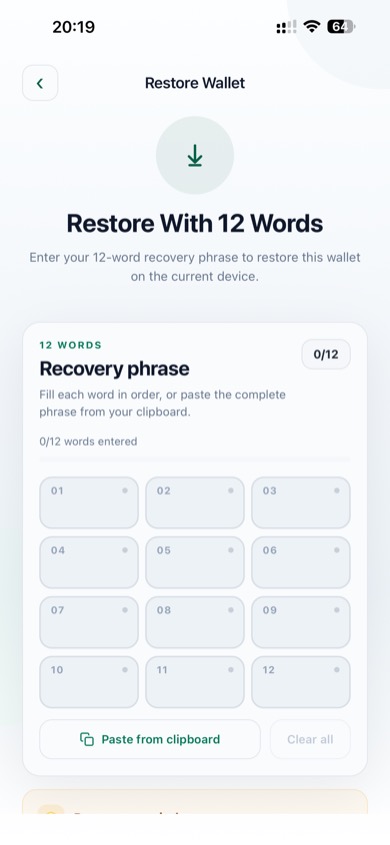
Enter your 12-word recovery phrase
You have two ways to enter the phrase:
Option A — Type word by word: Tap each of the 12 input fields and type the corresponding word. An autocomplete suggestion appears as you type each word.
Option B — Paste from clipboard: Copy your full seed phrase to the clipboard (all 12 words separated by spaces), then tap Paste from clipboard. The app will automatically split and fill all 12 fields.
The counter at the top right (e.g. 0/12) shows how many words have been entered.
3. Confirm Restore
Once all 12 words are entered and valid, scroll down and tap Restore Wallet. The app verifies the phrase and derives your TRON and Ethereum addresses.
WARNING
Make sure you are entering your words in the exact order they were originally generated. Even one word out of place will result in a different (empty) wallet.
4. Wallet Restored
Your wallet is restored and you are taken to the Assets screen. Your previous balances and transaction history are fetched automatically from the blockchain.
Frequently Asked Questions
Can I restore a wallet from another app (e.g. Trust Wallet, MetaMask)? Yes, as long as it uses a standard BIP-39 12-word seed phrase with BIP-44 derivation. UIN Wallet uses the same derivation paths (m/44'/60' for ETH, m/44'/195' for TRON).
What if I have a 24-word phrase? UIN Wallet currently supports 12-word seed phrases only.
Can I restore using a private key? Private key import is available on the restore screen — scroll down to find the private key input option.